What You’ll Learn in This Guide
- Understanding financial process automation and its business impact
- Identifying which financial processes to automate first
- Step-by-step implementation strategies for successful automation
- Tools and technologies that power modern finance automation
- Real-world examples and case studies of successful implementations
- Ready-to-use templates to jumpstart your automation journey
What is Financial Process Automation?
Financial process automation uses technology to execute financial operations with minimal human intervention. It leverages software solutions, artificial intelligence, machine learning, and robotic process automation (RPA) to handle repetitive tasks that traditionally required manual effort.
Unlike simple digitization (converting paper to digital formats), true automation creates intelligent workflows that can make decisions, process data, and take actions based on predefined rules and patterns. This transformation allows finance teams to focus on strategic activities rather than spending countless hours on routine tasks like data entry and reconciliations.
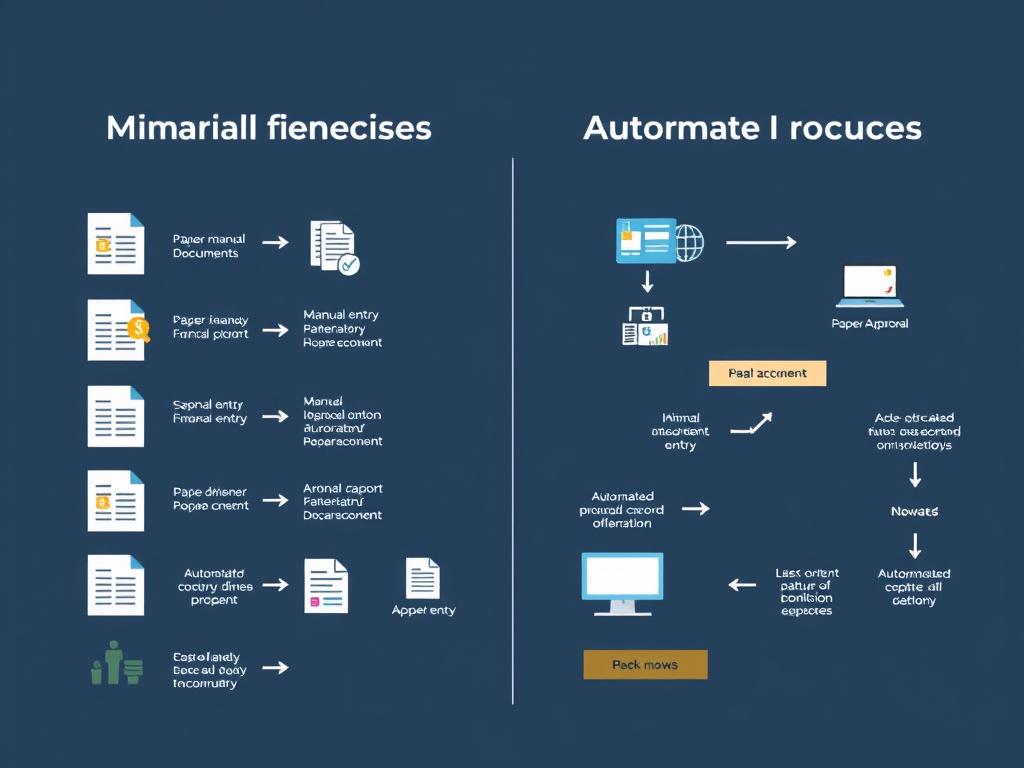
Traditional Financial Processes
- Manual data entry across multiple systems
- Paper-based approvals and signatures
- Spreadsheet-based reporting and analysis
- Manual reconciliation of accounts
- Time-consuming month-end close processes
- Error-prone invoice processing
Automated Financial Processes
- Automated data capture and system integration
- Digital approval workflows
- Real-time reporting and analytics
- Automated account reconciliation
- Streamlined close processes
- Intelligent invoice processing and matching
The Business Case for Financial Process Automation
Before diving into implementation, it’s important to understand the tangible benefits that make financial process automation a strategic priority for forward-thinking organizations. These benefits create a compelling business case that can help secure buy-in from stakeholders.
| Benefit | Impact | Typical Results |
| Reduced Processing Costs | Lower labor costs and operational expenses | 50-70% cost reduction in accounts payable processing |
| Time Savings | Faster execution of financial tasks | 80% reduction in invoice processing time |
| Error Reduction | Fewer mistakes in financial data and calculations | Up to 95% reduction in data entry errors |
| Improved Compliance | Better adherence to regulations and policies | 90% reduction in compliance-related issues |
| Enhanced Visibility | Real-time insights into financial operations | 100% visibility into process status and bottlenecks |
| Strategic Focus | Reallocation of staff to higher-value activities | 30-40% increase in time spent on analysis and strategy |
Calculate Your Automation ROI
Wondering how much your organization could save by automating financial processes? Our free ROI calculator helps you quantify potential savings based on your specific business parameters.
Which Financial Processes Should Be Automated First?
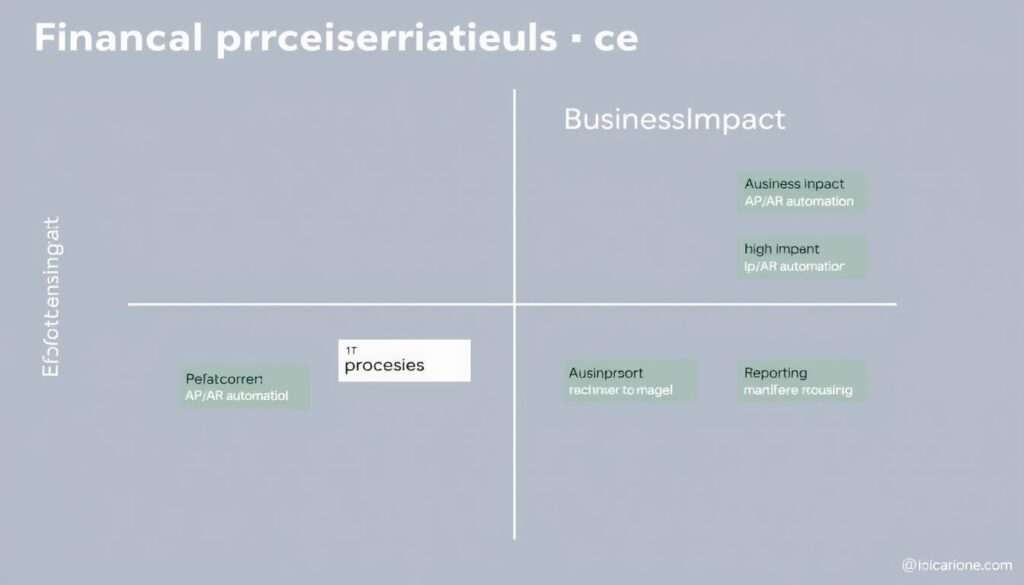
Not all financial processes deliver equal value when automated. To maximize ROI, focus first on processes that are high-volume, repetitive, rule-based, and currently consuming significant resources. Here are the top candidates for financial process automation, ranked by typical impact:
1. Accounts Payable and Invoice Processing
AP automation reduces the manual effort involved in processing supplier invoices, from data capture to payment execution. Modern AP automation solutions can extract data from invoices using OCR technology, match invoices to purchase orders and receipts, route for approval, and execute payments—all with minimal human intervention.
“After implementing AP automation, we reduced our invoice processing costs by 68% and shortened processing time from 23 days to just 3 days.”
2. Accounts Receivable and Collections
AR automation streamlines customer invoicing, payment processing, and collections activities. Automated systems can generate and distribute invoices, reconcile payments, flag overdue accounts, and even initiate collection workflows based on predefined rules.
3. Financial Reporting and Analysis
Automating financial reporting eliminates the manual effort of gathering data from various sources, performing calculations, and formatting reports. Automated reporting tools can pull data directly from financial systems, apply consistent calculations, and generate standardized reports on a scheduled basis.
4. Expense Management
Expense automation simplifies the process of submitting, approving, and reimbursing employee expenses. Mobile apps allow employees to capture receipts, AI can categorize expenses, and workflow automation can route for approval and trigger reimbursements.
5. Payroll Processing
Payroll automation reduces the time and errors associated with calculating wages, taxes, and deductions. Automated payroll systems can integrate with time-tracking systems, apply tax rules, and execute payments with minimal manual intervention.
6. Financial Close and Reconciliation
Automating the financial close process accelerates month-end and year-end closing activities. Automated reconciliation tools can match transactions across systems, identify discrepancies, and facilitate faster resolution.
7. Tax Compliance and Reporting
Tax automation helps ensure accurate calculation and timely filing of various taxes. These systems can automatically apply tax rules, prepare returns, and even submit filings electronically.
Process Assessment Template
Not sure which processes to automate first? Our Process Assessment Template helps you evaluate your financial processes based on automation potential and business impact.
How to Automate Financial Business Processes: Step-by-Step Strategy
Implementing financial process automation requires a structured approach to ensure success. Follow these steps to develop and execute an effective automation strategy:
- Assess Current State: Document existing processes, identify pain points, and quantify the current costs and inefficiencies.
- Define Objectives: Establish clear goals for your automation initiative, such as cost reduction, error reduction, or faster processing times.
- Prioritize Processes: Use the assessment to identify which processes will deliver the highest ROI when automated.
- Select Technology: Evaluate and select appropriate automation tools based on your specific requirements.
- Design Future State: Map out how the automated processes will work, including integration points with existing systems.
- Implement in Phases: Roll out automation in manageable phases, starting with pilot processes before broader implementation.
- Measure Results: Track key performance indicators to quantify the impact of automation.
- Refine and Expand: Use insights from initial implementation to refine your approach and expand to additional processes.

Creating Your Automation Roadmap
A well-structured roadmap is essential for guiding your automation journey. Your roadmap should include:
- Short-term initiatives (0-6 months): Quick wins that demonstrate value
- Medium-term initiatives (6-18 months): More complex processes requiring greater integration
- Long-term vision (18+ months): Advanced automation leveraging AI and machine learning
Pro Tip: Start Small, Think Big
Begin with a well-defined, high-impact process that can demonstrate quick wins. Use this success to build momentum and secure buy-in for broader automation initiatives.
Financial Analysis Example: AP Automation ROI
To illustrate the financial impact of automation, let’s examine a case study of accounts payable automation for a mid-sized company processing 5,000 invoices monthly:
| Metric | Before Automation | After Automation | Improvement |
| Cost per Invoice | $15.00 | $3.75 | 75% reduction |
| Processing Time | 14 days | 3 days | 79% reduction |
| Error Rate | 3.2% | 0.3% | 91% reduction |
| Early Payment Discounts Captured | 21% | 82% | 290% increase |
| Staff Hours per Month | 720 hours | 180 hours | 75% reduction |
Annual Financial Impact Calculation
Cost Savings
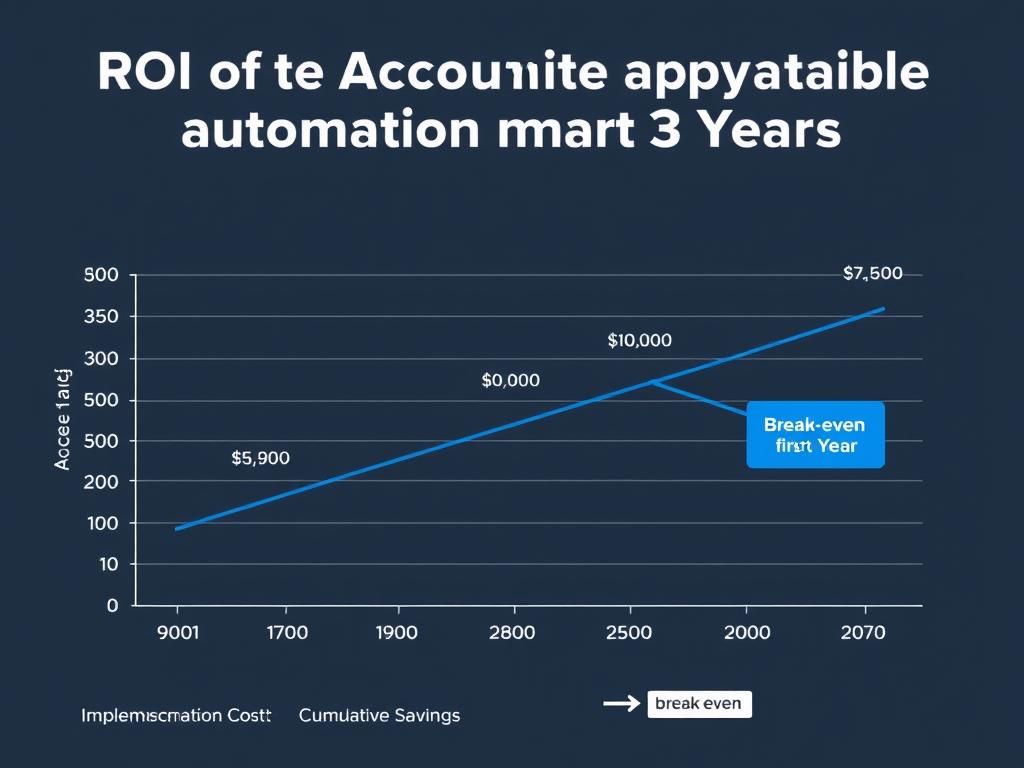
5,000 invoices × $11.25 savings per invoice × 12 months = $675,000 annual savings
Early Payment Discounts
5,000 invoices × $500 avg. value × 2% discount × 61% additional capture × 12 months = $366,000 additional savings
Total Annual Benefit: $1,041,000
Typical Implementation Cost: $150,000 – $250,000
Payback Period: 2-3 months
Best Tools for Financial Business Process Automation
The right technology stack is crucial for successful financial process automation. Here’s an overview of the key technologies and specific tools to consider:
Robotic Process Automation (RPA) Platforms
RPA tools use software robots to mimic human actions for repetitive, rule-based tasks. These are particularly effective for processes that involve multiple systems where APIs aren’t available.
UiPath
Enterprise-grade RPA platform with strong process mining capabilities and AI integration.
Automation Anywhere
Cloud-native RPA platform with strong analytics and bot marketplace.
Microsoft Power Automate
Accessible RPA tool with strong Microsoft ecosystem integration.
Accounts Payable Automation
AP automation solutions streamline the entire invoice-to-pay process, from invoice capture to payment execution.
Tipalti
End-to-end AP automation with global payment capabilities.
Stampli
AI-powered AP automation with strong approval workflow capabilities.
Bill.com
User-friendly AP and AR automation for small to mid-sized businesses.
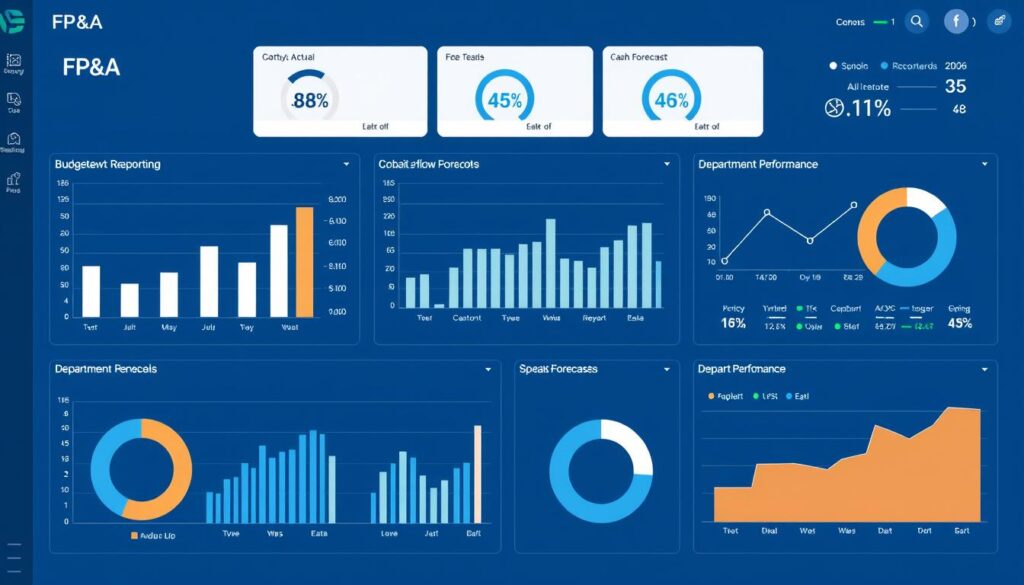
Financial Planning and Analysis (FP&A) Tools
FP&A automation tools streamline budgeting, forecasting, and financial reporting processes.
Adaptive Planning
Comprehensive planning, budgeting, and forecasting platform.
Planful
Cloud-based FP&A platform with strong collaboration features.
Prophix
AI-powered financial planning and reporting solution.
Financial Automation Tools Comparison
Need help selecting the right tools for your specific needs? Our comprehensive comparison spreadsheet evaluates 30+ automation tools across 50+ features.
Templates You Can Use to Automate Financial Business Processes
Jumpstart your automation journey with these ready-to-use Excel templates designed to streamline financial processes while you implement more comprehensive automation solutions:
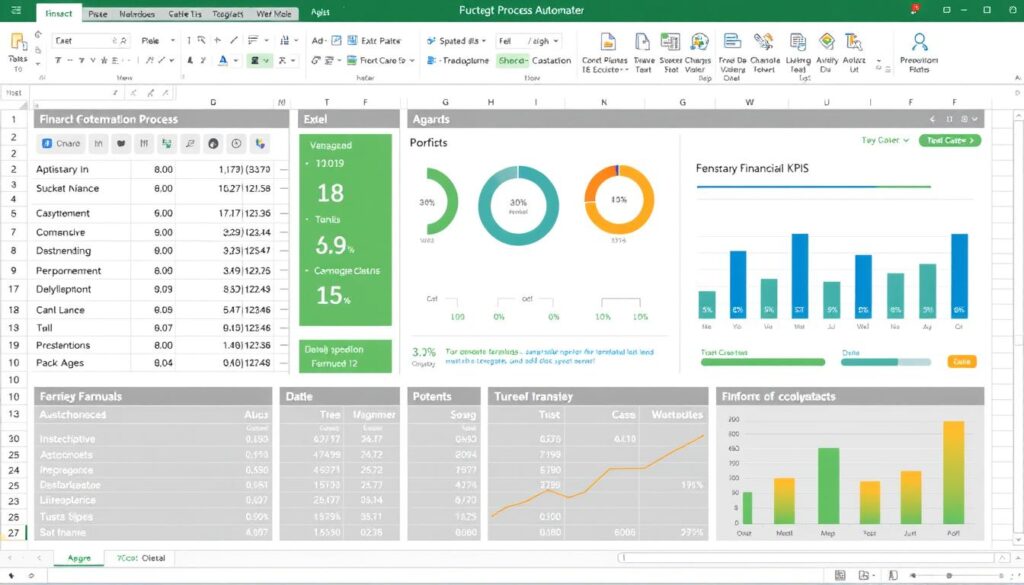
AP Workflow Automation Template
Track invoices from receipt to payment with automated status updates and approval routing.
- Automated aging analysis
- Approval tracking
- Payment scheduling
- Vendor performance metrics
Financial Close Checklist Automation
Streamline month-end and year-end closing with automated task assignments and status tracking.
- Task dependencies
- Automated notifications
- Progress tracking
- Historical performance analysis
Cash Flow Forecasting Model
Automate cash flow projections with a dynamic model that integrates AR aging, AP schedules, and historical patterns.
- 13-week rolling forecast
- Scenario modeling
- Variance analysis
- Visual dashboard
Financial Reporting Package
Automate the generation of key financial reports with a template that pulls data from your financial systems.
- P&L, Balance Sheet, Cash Flow
- KPI dashboard
- Variance explanations
- Executive summary
Budget vs. Actual Tracker
Monitor financial performance against budget with automated variance calculations and trend analysis.
- Department-level tracking
- YTD performance
- Forecast updates
- Visual indicators
Automation ROI Calculator
Quantify the potential return on investment from automating specific financial processes.
- Cost-benefit analysis
- Payback period calculation
- 5-year projection
- Sensitivity analysis
Get All Templates + Implementation Guides
Access our complete library of financial automation templates, plus step-by-step implementation guides to help you maximize their effectiveness.
Financial Business Automation Case Study
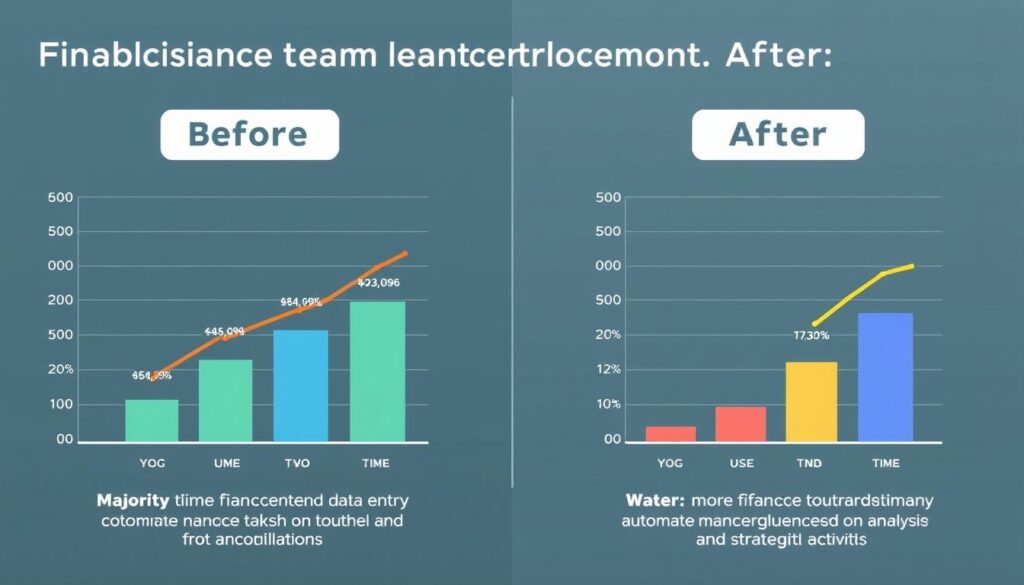
Mid-Market Manufacturing Company Transforms Finance Operations
Challenge
A manufacturing company with $150M in annual revenue was struggling with inefficient financial processes. Their team of 12 finance professionals spent 70% of their time on manual data entry, reconciliations, and report generation. Month-end close took 15 days, and errors were frequent, leading to rework and occasional compliance issues.
Approach
The company implemented a phased automation strategy, starting with accounts payable and gradually expanding to other financial processes. They combined RPA for legacy system integration with specialized automation tools for AP, financial reporting, and reconciliations.
Results
| Metric | Before Automation | After Automation | Improvement |
| Month-End Close Time | 15 days | 5 days | 67% reduction |
| Invoice Processing Cost | $16.25 per invoice | $4.10 per invoice | 75% reduction |
| Time Spent on Manual Tasks | 70% | 20% | 71% reduction |
| Error Rate in Financial Reports | 4.2% | 0.3% | 93% reduction |
| Early Payment Discounts Captured | 15% | 85% | 467% increase |
“Automation has completely transformed our finance department. We’ve not only reduced costs and errors but also elevated the role of our finance team. They’re now spending most of their time on analysis and strategic initiatives rather than manual data processing.”
How to Manage Financial Business Risks During Automation
While the benefits of financial process automation are substantial, implementation comes with challenges and risks that must be managed effectively:
Common Challenges
- Legacy System Integration: Connecting older financial systems that lack modern APIs
- Data Quality Issues: Inconsistent or incomplete data across systems
- Process Standardization: Variations in how processes are executed across the organization
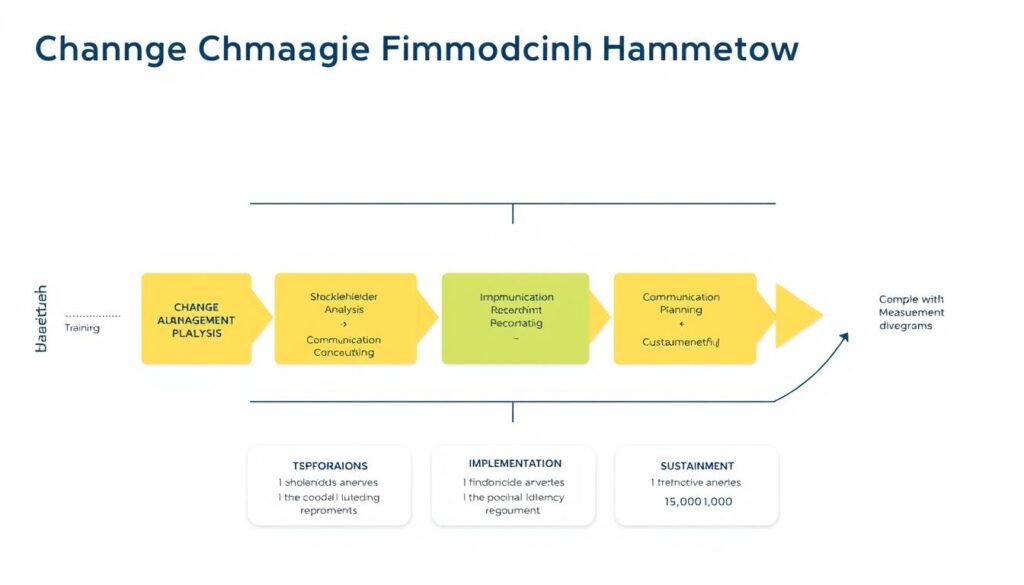
- Change Management: Resistance from staff accustomed to manual processes
- Compliance Concerns: Ensuring automated processes meet regulatory requirements
Mitigation Strategies
- Middleware Solutions: Use integration platforms to connect legacy systems
- Data Cleansing: Implement data quality initiatives before automation
- Process Mapping: Document and standardize processes before automating
- Training Programs: Invest in upskilling staff for new roles
- Compliance by Design: Build regulatory requirements into automated workflows
Financial Business Budgeting Strategies for Automation Projects
Proper budgeting is crucial for successful automation initiatives. Consider these strategies when planning your automation budget:
- Total Cost of Ownership (TCO) Analysis: Look beyond initial implementation costs to include ongoing maintenance, upgrades, and support.
- Phased Implementation: Break the project into smaller phases with dedicated budgets to manage costs and demonstrate ROI incrementally.
- Value-Based Prioritization: Allocate budget to processes with the highest potential return first.
- Contingency Planning: Include a buffer (typically 15-20%) for unexpected challenges or scope changes.
- Internal Resource Allocation: Budget for the time your team will spend on implementation and training.
Common Pitfall: Underestimating Change Management
Many organizations underbudget for change management activities. Allocate at least 15% of your total project budget to training, communication, and adoption initiatives to ensure successful implementation.
How to Track Financial Business Performance After Automation
Measuring the impact of your automation initiatives is essential for demonstrating ROI and identifying opportunities for further improvement. Establish these key metrics to track performance:
Efficiency Metrics
- Processing time per transaction
- Transactions processed per FTE
- Cost per transaction
- Cycle time reduction
- Staff hours saved
Quality Metrics
- Error rates
- Exception handling time
- Rework percentage
- Compliance violations
- Audit findings
Business Impact Metrics
- Early payment discounts captured
- Days Sales Outstanding (DSO)
- Working capital improvement
- Financial close time reduction
- Strategic time allocation
Financial Business Reporting Best Practices
Effective reporting is crucial for communicating the impact of your automation initiatives to stakeholders. Follow these best practices:
- Establish Baselines: Document pre-automation metrics to enable meaningful before-and-after comparisons.
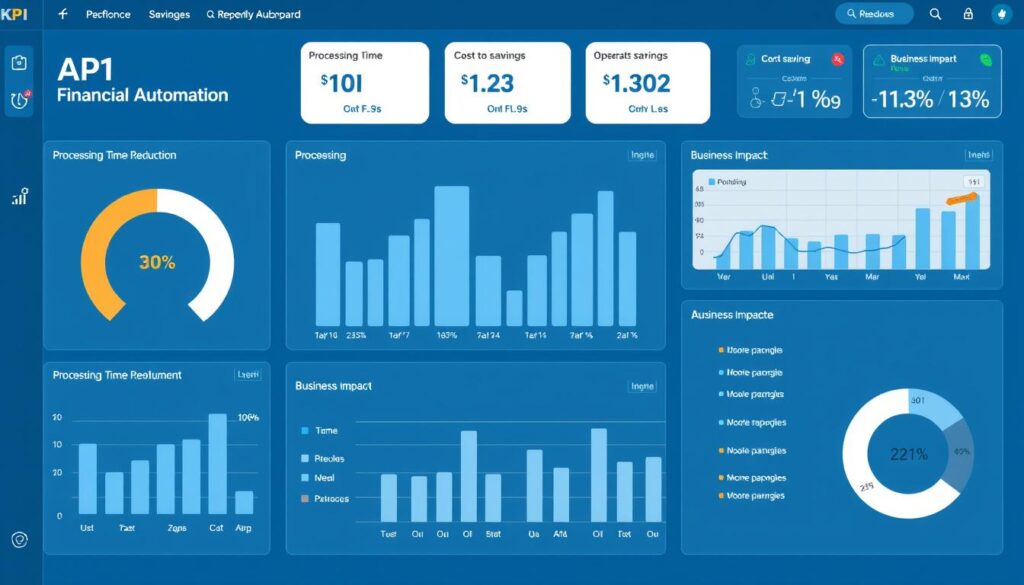
- Create Executive Dashboards: Develop concise visual dashboards that highlight key performance indicators and ROI.
- Implement Regular Reporting Cadence: Schedule regular reviews of automation performance (weekly, monthly, quarterly).
- Combine Quantitative and Qualitative Data: Supplement metrics with user feedback and process observations.
- Track Trends Over Time: Monitor how metrics evolve to identify continuous improvement opportunities.
Automation Performance Tracking Template
Track the impact of your automation initiatives with our comprehensive KPI dashboard template. Includes pre-built metrics, visualizations, and executive summary reports.
Financial Business Growth Strategies Through Advanced Automation
As your organization matures in its automation journey, consider these advanced strategies to drive further growth and efficiency:
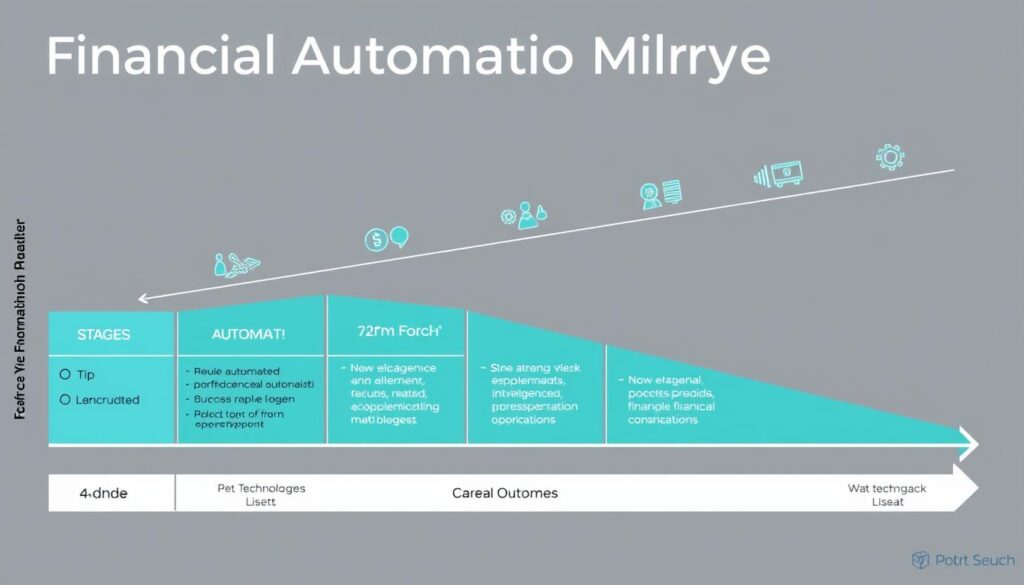
Intelligent Automation with AI and Machine Learning
Moving beyond basic process automation, intelligent automation incorporates AI and machine learning to enable more sophisticated capabilities:
- Predictive Analytics: Forecast cash flow, identify potential payment delays, and optimize working capital.
- Anomaly Detection: Automatically identify unusual transactions or patterns that may indicate errors or fraud.
- Natural Language Processing: Extract data from unstructured documents like contracts and emails.
- Cognitive Decision-Making: Apply business rules and learning algorithms to make decisions that previously required human judgment.
End-to-End Process Orchestration
Rather than automating individual tasks, focus on orchestrating entire processes across departments and systems:
- Procure-to-Pay Orchestration: Integrate procurement, receiving, accounts payable, and treasury functions.
- Order-to-Cash Orchestration: Connect sales, fulfillment, billing, collections, and revenue recognition.
- Record-to-Report Orchestration: Link transaction processing, reconciliation, close, and financial reporting.
Financial Business Forecasting Techniques Enhanced by Automation
Automation enables more sophisticated forecasting approaches that can drive better business decisions:
Driver-Based Forecasting
Automate the collection and analysis of key business drivers to create more accurate financial forecasts. By identifying correlations between operational metrics and financial outcomes, you can develop predictive models that automatically update as conditions change.
Rolling Forecasts
Implement continuous planning with automated rolling forecasts that extend beyond the fiscal year. Automation makes it feasible to maintain an always-current forecast without the manual effort traditionally required for frequent updates.
The Future of Finance: Continuous Accounting
Advanced automation is enabling a shift from periodic accounting cycles to continuous accounting, where transactions are processed, verified, and reported in real-time. This approach reduces period-end bottlenecks, provides more timely insights, and allows finance teams to focus on analysis rather than processing.
Frequently Asked Questions About Financial Process Automation
What is the difference between digitization and automation in finance?
Digitization is simply converting paper-based or manual processes into digital format (e.g., scanning invoices), while automation goes further by using technology to execute tasks with minimal human intervention. For example, rather than just scanning invoices (digitization), an automated system would extract the data, validate it against purchase orders, route for approval, and initiate payment—all with minimal human involvement.
How long does it typically take to implement financial process automation?
Implementation timelines vary based on process complexity, technology selection, and organizational readiness. Simple process automation using RPA might take 4-8 weeks, while comprehensive solutions like end-to-end AP automation typically require 3-6 months. Enterprise-wide transformation programs often span 12-24 months, implemented in phases. Starting with a well-defined pilot project can deliver results faster and build momentum for broader initiatives.
Will automating financial processes eliminate jobs in my finance department?
Rather than eliminating jobs, automation typically transforms roles by reducing time spent on manual, repetitive tasks and creating capacity for higher-value activities. Organizations that implement automation successfully often redeploy staff to focus on analysis, strategy, and business partnering. This evolution requires investment in upskilling and change management to help finance professionals adapt to more strategic roles.
How do I create a financial business plan that incorporates automation?
To create a financial business plan that incorporates automation, start by assessing current process costs and inefficiencies to establish a baseline. Then, forecast the expected benefits of automation, including cost savings, productivity improvements, and error reduction. Include implementation costs (software, services, internal resources) and ongoing maintenance expenses. Develop a phased implementation roadmap with clear milestones and ROI targets for each phase. Finally, establish KPIs to measure success and adjust your plan as you progress.
What are the security risks of financial process automation, and how can they be mitigated?
Financial process automation introduces security considerations including data privacy, access control, and system vulnerabilities. Mitigate these risks by implementing strong authentication and authorization controls, encrypting sensitive data, maintaining audit trails of all automated activities, regularly testing security measures, and ensuring compliance with relevant regulations. Choose automation vendors with robust security certifications (SOC 2, ISO 27001) and establish clear security governance for your automation program.
How can small businesses implement financial process automation with limited resources?
Small businesses can implement financial automation incrementally by starting with cloud-based solutions that require minimal upfront investment. Focus first on processes with clear ROI, such as accounts payable or expense management. Consider solutions specifically designed for SMBs that offer simplified implementation and pricing models. Leverage Excel automation as an intermediate step before investing in specialized solutions. Many vendors now offer “automation as a service” models that reduce initial costs and technical requirements.
What financial business ratios are most improved by automation?
Automation typically improves several key financial ratios and metrics. Days Payable Outstanding (DPO) and Days Sales Outstanding (DSO) improve through more efficient processing and collections. Working capital ratios benefit from better cash flow management. Operational efficiency ratios like Cost of Finance as a Percentage of Revenue typically decrease by 30-50%. Accuracy-related metrics such as reconciliation exception rates and financial restatements also show significant improvement, often reducing by 80-90% after successful automation implementation.
How does financial process automation help with regulatory compliance?
Automation strengthens compliance by enforcing consistent application of policies and controls, maintaining comprehensive audit trails, reducing human error, and enabling real-time monitoring. Automated workflows can incorporate regulatory requirements and approval hierarchies to ensure proper oversight. Reporting automation can streamline the generation of compliance documentation and regulatory filings. This systematic approach reduces compliance risks and simplifies audit processes, as all actions are documented and traceable.
What are the most common pitfalls when implementing financial process automation?
Common pitfalls include automating broken processes without first optimizing them, underestimating change management requirements, inadequate process documentation, selecting technology that doesn’t integrate well with existing systems, and failing to establish clear success metrics. To avoid these issues, thoroughly map and optimize processes before automation, invest in change management and training, ensure proper integration capabilities, and establish clear KPIs to measure success and drive continuous improvement.
How can I improve financial business efficiency beyond automation?
While automation is powerful, complementary approaches can further enhance financial efficiency. Process standardization and simplification should precede automation to avoid “automating inefficiency.” Organizational restructuring, such as shared service centers or centers of excellence, can consolidate expertise and drive economies of scale. Strategic outsourcing of non-core activities can be effective for certain processes. Finally, investing in financial talent development ensures your team can leverage automation effectively and focus on high-value activities.
Conclusion: Taking the Next Step in Your Financial Automation Journey
Financial process automation represents a transformative opportunity for organizations of all sizes. By strategically implementing automation technologies, finance teams can reduce costs, improve accuracy, enhance compliance, and shift their focus from transaction processing to strategic business partnership.
The journey to automated financial processes is not just about technology—it’s about reimagining how finance functions operate and deliver value to the organization. Start with a clear assessment of your current processes, prioritize high-impact opportunities, select appropriate technologies, and implement with a focus on both technical excellence and change management.
As you progress in your automation journey, continue to measure results, refine your approach, and explore more advanced capabilities. The most successful organizations view automation not as a one-time project but as an ongoing evolution toward increasingly intelligent and efficient financial operations.
Ready to Transform Your Financial Processes?
Get our complete Financial Process Automation Toolkit, including all templates, implementation guides, ROI calculators, and best practice documentation to accelerate your automation journey.